From the Amigos Team

Tech We Love & Stories We Share

Discover the tools, gadgets, and insights from our team. We share what we use, what excites us, and cool things we find along the way.

Browse Articles Subscribe to Newsletter
All Tech Office Equipment Health & Productivity

Latest Articles

View all
Health & Productivity

Staying Hydrated While Coding: Our Experience with Electrolyte Tablets

Long coding sessions demand proper hydration. We tested sugar-free electrolyte tablets to see if they help maintain focus and energy.

Office Equipment

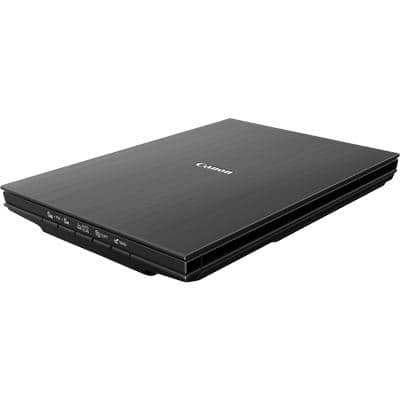
Digitising Documents Made Simple: Our Canon LiDE 400 Scanner Review

A compact flatbed scanner that connects via USB-C and doesn't need a power adapter. We tested it for everyday office scanning tasks.

Office Equipment

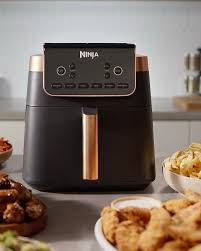
Quick Office Lunches: Our Ninja Air Fryer MAX PRO Review

A 6.2L air fryer that transforms lunch breaks. We tested if it's worth the desk space for healthier office meals.

Tech

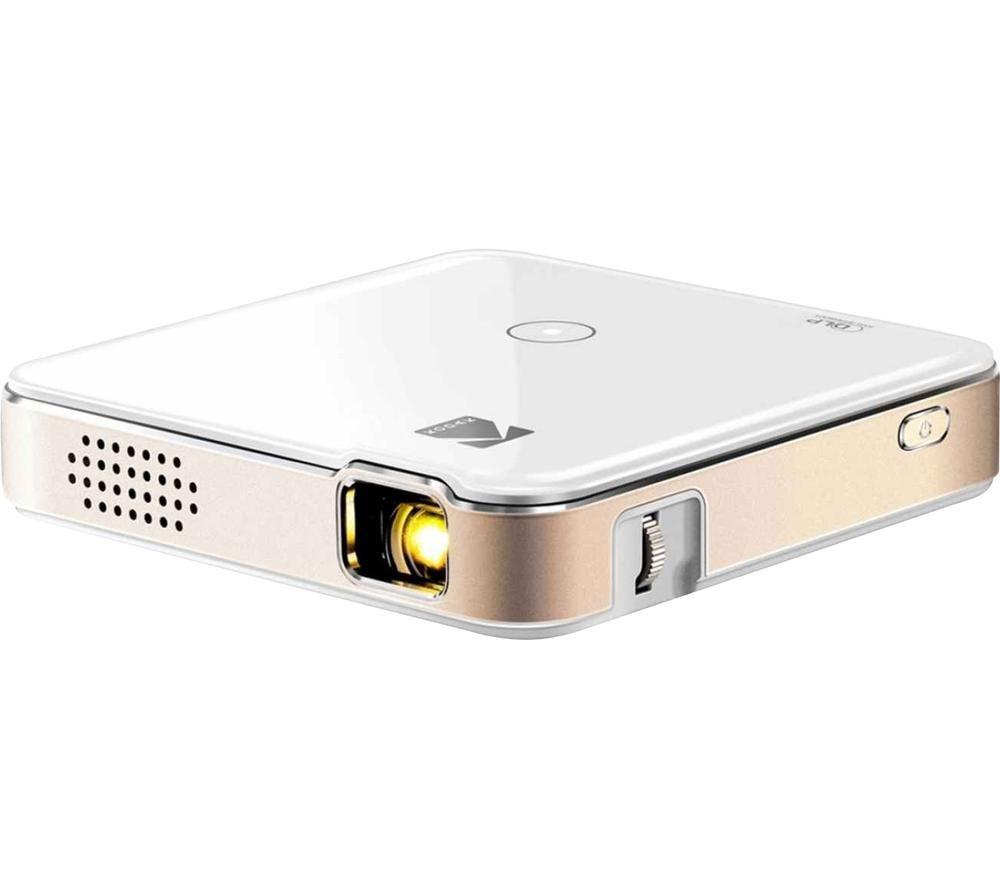
Presentations On The Go: Our KODAK Luma 150 Pocket Projector Review

A pocket-sized projector for client meetings and off-site presentations. We tested if it delivers when you're away from the office.

Office Equipment

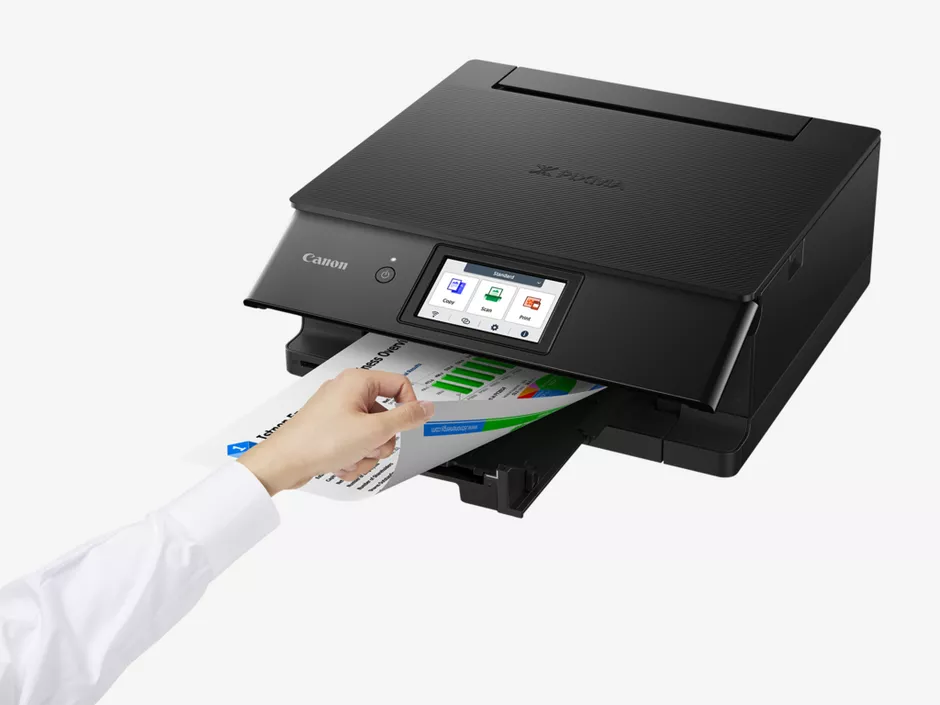
Print, Scan, Copy: Our Canon PIXMA TS8750 All-In-One Printer Review

A wireless all-in-one photo printer with 6-ink system. We tested it for everything from contracts to team photos.

Tech

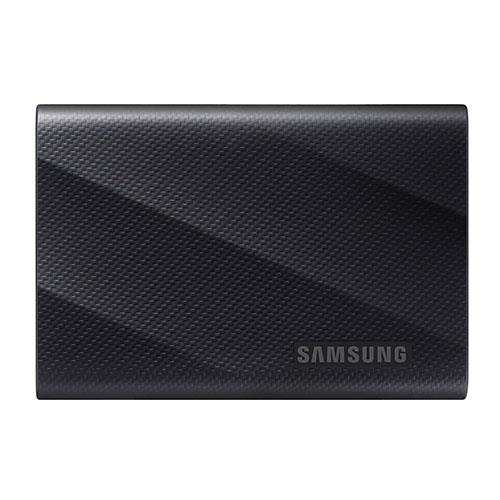
Speed Meets Durability: Our Samsung T9 Portable SSD Review

A 4TB portable SSD with 2,000MB/s speeds and 3m drop resistance. We tested it for backups, video editing, and on-the-go storage.

Tech

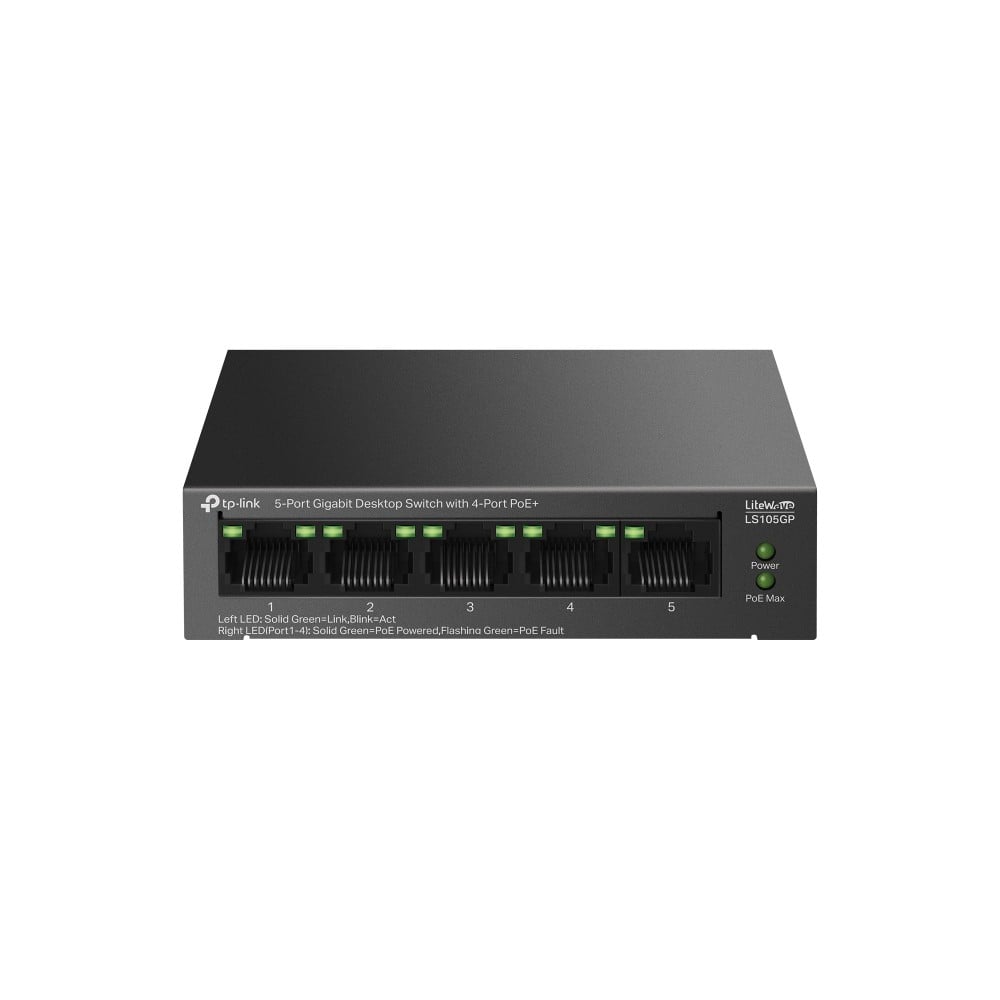
Simplify Your Network: Our TP-Link LS105GP PoE Switch Review

A 5-port Gigabit PoE switch that powers devices over ethernet. We tested it for IP cameras, access points, and cleaner cable management.

LG UltraGear OLED GX7 Gaming Monitor

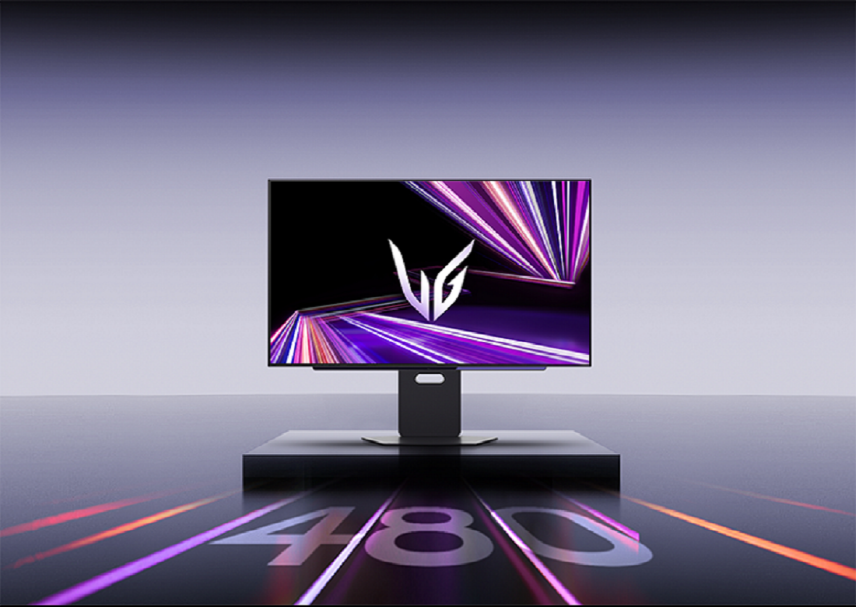
LG UltraGear OLED GX7 Review: The Ultimate Gaming Monitor?

Buy Now On Amazon

As an Amazon Associate, we earn from qualifying purchases.

We've been testing the LG UltraGear OLED GX7 in our office for the past few months, and it's time to share our honest thoughts. This 27-inch gaming monitor has been generating serious buzz in the tech community, so we wanted to see if it lives up to the expectations.

Quick Specs

  • Screen Size: 27 inches
  • Resolution: 2560x1440 (QHD)
  • Panel Type: WOLED
  • Refresh Rate: 480Hz
  • Response Time: 0.03ms
  • HDR Support: Yes
  • Ports: DisplayPort 2.1, HDMI 2.1

Our Experience

First Impressions

Unboxing the GX7, we were immediately impressed by how sleek it looks. The bezels are practically non-existent, and the stand feels solid and well-built. Setup was straightforward - just connect your cables and you're ready to go.

The stand has full adjustability which we really appreciate. You can raise, lower, tilt, swivel, and even rotate the screen to portrait mode. This flexibility is great when you're spending long hours at your desk.

Picture Quality

This is where the GX7 really shines. OLED technology means you get true blacks - when a pixel is off, it's completely off. Coming from an LCD monitor, the difference is night and day. Dark scenes in games and movies look absolutely stunning.

Colours are vibrant and punchy without being oversaturated. We found the out-of-box colour accuracy to be excellent, which is a nice bonus if you do any creative work alongside gaming.

"Switching from our old LCD to the GX7 felt like putting on glasses for the first time. Everything is just sharper and more vivid." - Nelson

Gaming Performance

The 480Hz refresh rate is the headline feature here. To be completely honest, the jump from 240Hz to 480Hz isn't as dramatic as going from 60Hz to 144Hz. However, motion does appear smoother, and in fast-paced competitive games, every bit helps.

You'll need a DisplayPort 2.1 capable graphics card to hit 480Hz. Currently, that means the latest NVIDIA RTX 50 series. If you're running older hardware, you'll still get a fantastic experience at lower refresh rates via HDMI 2.1.

The variable refresh rate support works brilliantly with both AMD and NVIDIA cards. We experienced zero tearing or stuttering during our testing.

For Work & Coding

While it's marketed as a gaming monitor, we've been using it daily for coding and general productivity. The QHD resolution at 27 inches provides a good balance of screen real estate and text clarity. The OLED panel is easy on the eyes during long sessions, and we haven't experienced any eye strain.

One thing to be mindful of with OLED is static content. If you have the same elements on screen for extended periods, there's a potential for image retention. LG includes various protection features to mitigate this, but it's worth keeping in mind.

What We Like

  • Outstanding picture quality with perfect blacks
  • Incredibly smooth motion at high refresh rates
  • Great colour accuracy for creative work
  • Future-proof connectivity options
  • Solid build quality and adjustable stand
  • Works well with both AMD and NVIDIA GPUs

What Could Be Better

  • The price is on the higher end
  • Need latest GPU to fully utilise 480Hz
  • Some users may prefer 4K over QHD at this price
  • OLED requires some care with static content

Should You Buy It?

The LG UltraGear OLED GX7 is an excellent monitor that excels in both gaming and general use. The OLED picture quality is genuinely impressive, and while 480Hz may be overkill for most, the overall package is compelling.

If you're a competitive gamer with the hardware to drive it, or simply someone who appreciates top-tier display technology, the GX7 is easy to recommend. For more casual users, the price might be hard to justify when excellent alternatives exist at lower price points.

For our team, it's become the monitor of choice for both work and play. The combination of stunning visuals, smooth performance, and solid build quality makes it a worthwhile investment if it fits your budget.

HIGH5 ZERO Electrolyte Tablets

Staying Hydrated While Coding: Our Experience with Electrolyte Tablets

Buy Now On Amazon

As an Amazon Associate, we earn from qualifying purchases.

As developers, we spend countless hours in front of screens, often forgetting the basics like proper hydration. Coffee and energy drinks become our go-to, but they can leave us feeling jittery and dehydrated. That's why we decided to explore electrolyte tablets as a healthier alternative.

Why Hydration Matters for Developers

Dehydration, even mild, can significantly impact cognitive function. Studies show that losing just 1-2% of body water can affect concentration, alertness, and short-term memory - all critical for writing clean code and solving complex problems.

The problem is that plain water doesn't always cut it, especially during long coding sessions or when you've had one too many coffees. That's where electrolyte supplementation comes in.

What We Tested

We tried HIGH5 ZERO Electrolyte Tablets in the Strawberry & Kiwi flavour. These effervescent tablets dissolve in water to create a refreshing drink that replenishes essential electrolytes lost through daily activities.

Key Features

  • Zero calories and sugar-free - No energy crashes or unwanted sugar intake
  • Enhanced with Vitamin C - Added immune support benefit
  • Contains key electrolytes - Sodium, potassium, and magnesium for proper hydration
  • Effervescent formula - Dissolves quickly in water
  • Pleasant taste - Makes drinking water more enjoyable

Our Experience

We had several team members use these tablets over a few weeks during their regular work routine. Here's what we found:

The Good

Taste: The Strawberry & Kiwi flavour is genuinely pleasant - not overly sweet or artificial. It makes hitting your daily water intake much easier when you actually enjoy what you're drinking.

Convenience: Just drop a tablet into your water bottle and you're done. No measuring powders or mixing required. Perfect for the desk-bound developer.

No Sugar Crash: Unlike energy drinks, there's no spike and crash cycle. The sustained hydration helped maintain consistent energy levels throughout the day.

Noticeable Difference: Several team members reported feeling more alert and focused during afternoon slumps, which is typically when dehydration symptoms hit hardest.

Considerations

Not a Magic Solution: These tablets supplement good hydration habits - they don't replace the need for adequate water intake and breaks.

Taste Preference: While we enjoyed the flavour, taste is subjective. The brand offers multiple flavours if this one doesn't suit you.

Cost Per Serving: It's more expensive than plain water, but comparable to or cheaper than buying sports drinks or energy drinks regularly.

Who Should Consider These?

  • Developers who struggle to drink enough water
  • Anyone who relies heavily on coffee and wants to balance it out
  • Those who experience afternoon energy dips
  • People who exercise alongside their desk job
  • Anyone looking for a sugar-free hydration option

The Verdict

For our team, electrolyte tablets have become a regular part of our desk setup. They're not going to write code for you, but proper hydration is an often-overlooked aspect of maintaining peak mental performance.

If you find yourself reaching for sugary drinks or struggling with afternoon fatigue, trying a sugar-free electrolyte supplement might be worth exploring. It's a small change that could make a meaningful difference in how you feel during those marathon coding sessions.

Remember: the best productivity hack is often taking care of the basics - sleep, nutrition, and yes, staying properly hydrated.

Canon LiDE 400 Flatbed Scanner

Digitising Documents Made Simple: Our Canon LiDE 400 Scanner Review

Buy Now On Amazon

As an Amazon Associate, we earn from qualifying purchases.

In an increasingly digital world, we still find ourselves dealing with paper documents more often than we'd like. Whether it's contracts, receipts, handwritten notes, or old photos, having a reliable scanner at your desk can save countless trips to the office printer room. We've been using the Canon LiDE 400 flatbed scanner for several months, and here's what we think.

Why We Needed a Scanner

Working remotely means dealing with paperwork differently. Signing contracts, archiving receipts for expenses, or simply keeping digital backups of important documents - these tasks pop up more frequently than you'd expect. We wanted something compact that wouldn't dominate desk space but could handle occasional scanning needs efficiently.

What We Tested

The Canon LiDE 400 is a colour flatbed scanner designed for home and small office use. It's part of Canon's LiDE series known for their slim profile and USB-powered operation.

Key Features

  • USB Type-C connectivity - Modern connection, single cable for power and data
  • No power adapter needed - Runs entirely from USB power
  • Slim, space-saving design - Stands upright when not in use
  • One-touch operation - Four EZ buttons for common tasks
  • Auto document fix - Software enhancement for clearer scans

Our Experience

The Good

Setup: Getting started was genuinely straightforward. Connect the USB-C cable, install the software, and you're scanning within minutes. No hunting for power outlets or dealing with bulky adapters.

Size and Storage: The slim profile is a real selling point. When not in use, it stands upright like a book on your desk or slides into a drawer. For those of us with limited desk real estate, this matters.

Scan Quality: For documents and receipts, the quality is more than adequate. Text comes out crisp and readable, which is exactly what you need for archiving. Photos scan reasonably well too, though dedicated photo scanners would offer better results for serious photography work.

Speed: Scanning a standard A4 document takes about 8 seconds at 300dpi. It won't win any speed records, but for occasional use, it's perfectly acceptable.

Software: Canon's scanning software is functional without being bloated. The auto-fix features do help clean up document scans, correcting for slight skewing and enhancing text clarity.

Considerations

No Automatic Document Feeder: This is a flatbed-only scanner. If you regularly need to scan multi-page documents, you'll be lifting the lid for each page. For high-volume scanning, you'd want something with an ADF.

USB-C Cable Length: The included cable is fairly short. Depending on your setup, you might need a longer one or a USB hub.

Software Installation: While setup is simple, the Canon software does require downloading drivers. This is standard for scanners, but worth noting.

Who Should Consider This?

  • Remote workers who occasionally need to scan documents
  • Anyone wanting to digitise old photos or paperwork
  • Small home offices with limited desk space
  • Those who prefer a single USB-C connection without power adapters
  • Users who value simplicity over high-volume features

The Verdict

The Canon LiDE 400 does exactly what it promises - it's a compact, easy-to-use flatbed scanner that handles everyday scanning tasks without fuss. The USB-C powered design means one less cable and adapter to worry about, and the slim form factor is genuinely space-friendly.

It's not designed for heavy-duty office scanning or professional photo archiving, but for the typical home office user who needs to scan documents a few times a week, it's a solid choice. Sometimes the best tools are the ones that just work without demanding attention, and the LiDE 400 fits that description well.

For our team, it's become the go-to solution for quickly digitising paperwork, and we appreciate that it doesn't take up permanent desk space when not in use.

Ninja Air Fryer MAX PRO

Quick Office Lunches: Our Ninja Air Fryer MAX PRO Review

Buy Now On Amazon

As an Amazon Associate, we earn from qualifying purchases.

When you spend most of your day at a desk, lunch can easily become an afterthought - a sad sandwich eaten while staring at code, or an overpriced delivery that arrives cold. We decided to test whether having an air fryer in the office could transform our midday meals without turning the workspace into a kitchen.

What We Tested

The Ninja Air Fryer MAX PRO with its 6.2L capacity in the Black & Copper finish. This is the single drawer model designed for family-sized portions, which translates well to office batch cooking.

Key Features

  • 6.2L Large Square Drawer - Fits more food flat, avoiding stacking and ensuring even cooking
  • Oil-Free Cooking - Uses rapid air circulation for crispy results without added fat
  • Multiple Functions - Air fry, roast, and bake all in one unit
  • Non-Stick Basket & Crisper Plate - Easy food release and cleaning
  • Dishwasher Safe Parts - The basket and crisper plate can go straight in the dishwasher
  • Included Silicone Tongs - Handy for flipping food without scratching the coating

Our Experience

The Good

Speed that respects lunch breaks: Most meals cook in 15-20 minutes. We've made crispy chicken, roasted vegetables, and even reheated leftovers to near-restaurant quality - all within a standard lunch hour.

Genuinely healthier meals: Without needing oil, we've cut significant calories from lunches. Chips come out crispy, chicken stays juicy, and vegetables get that roasted char we love - all with minimal fat.

The square basket is a game-changer: Unlike round air fryers, the square design means we can lay food flat. No more stacking items and hoping the middle pieces cook properly.

Clean-up is office-friendly: The dishwasher-safe basket means no scrubbing at the office sink. We just let it cool, take it home, and pop it in the dishwasher.

Quieter than expected: The fan noise is present but not disruptive. It's comparable to a coffee machine - noticeable but not conversation-stopping.

Considerations

Size requires planning: At 6.2L, this isn't a compact appliance. You'll need dedicated counter or storage space. We keep ours on a side table near the kitchen area.

The cooking smell: While not as intense as traditional frying, there is some aroma when cooking. Good ventilation or proximity to a window helps.

Learning curve exists: Different foods need different times and temperatures. The first few attempts might not be perfect as you learn what works.

Office-Friendly Meals We've Made

  • Crispy chicken tenders (from frozen) - 18 minutes
  • Roasted vegetable medley - 15 minutes
  • Salmon fillets - 12 minutes
  • Sweet potato fries - 20 minutes
  • Reheated pizza (better than microwave) - 5 minutes
  • Halloumi with vegetables - 10 minutes

Who Should Consider This?

  • Teams who want healthier lunch options without leaving the office
  • Anyone tired of sad desk sandwiches or expensive deliveries
  • Offices with a small kitchen area or break room
  • Those looking to meal prep for the week and reheat to crispy perfection
  • Remote workers wanting quick, healthy meals without full kitchen clean-up

The Verdict

The Ninja Air Fryer MAX PRO has genuinely changed how our team approaches lunch. What started as an experiment has become an office staple, with team members taking turns bringing in ingredients for group cooking sessions.

Is it essential office equipment in the traditional sense? Perhaps not. But in terms of improving daily work life, reducing lunch costs, and encouraging healthier eating habits during long coding sessions - it's been one of our better investments.

The 6.2L capacity is perfect for cooking multiple portions, the dishwasher-safe parts make clean-up reasonable for an office environment, and the results genuinely rival takeaway food. If your workplace has the space and a culture that would embrace communal cooking, the Ninja MAX PRO is worth serious consideration.

KODAK Luma 150 Pocket Projector

Presentations On The Go: Our KODAK Luma 150 Pocket Projector Review

Buy Now On Amazon

As an Amazon Associate, we earn from qualifying purchases.

When your work takes you beyond the office walls - client sites, co-working spaces, or impromptu meeting rooms - presenting from a laptop screen becomes awkward fast. We've been testing the KODAK Luma 150 Pocket Projector to see if it can turn any wall into a presentation space without the bulk of traditional projectors.

What We Tested

The KODAK Luma 150, a pocket-sized portable projector with built-in speaker, HDMI connectivity, and wireless casting capabilities via Airplay and Miracast.

Key Features

  • Truly Pocket-Sized - Small enough to fit in a jacket pocket or laptop bag without noticing the extra weight
  • 150" Projection - Can project images up to 150 inches diagonally when you have the space
  • Built-In Speaker - No need to carry separate audio equipment for presentations
  • Multiple Inputs - HDMI, USB, and MicroSD slots for flexible connectivity
  • Wireless Casting - Airplay and Miracast enabled for cable-free presenting from phones and laptops
  • Battery Powered - Built-in rechargeable battery for truly portable use

Our Experience

The Good

Genuinely portable: This is the key selling point, and it delivers. We've taken it to client meetings, coffee shop discussions, and even outdoor team sessions. It genuinely fits in a pocket and weighs next to nothing.

Quick setup: From bag to projecting takes under a minute. The wireless casting works reliably with both iOS and Windows devices, which means less fumbling with cables in front of clients.

Surprisingly capable audio: The built-in speaker won't fill a conference hall, but for a small meeting room or huddle space, it's perfectly adequate. We've run presentations and demo videos without needing external speakers.

Versatile connectivity: Having HDMI, USB, and MicroSD options means you're covered regardless of what device you're presenting from. The wireless options are a bonus when they work, not a dependency.

Conversation starter: Clients are genuinely impressed when you pull a projector from your pocket. It sets a professional, prepared tone for meetings.

Considerations

Brightness limitations: This is a pocket projector, not a boardroom unit. You'll need to dim lights or close blinds for the best image. Bright rooms wash out the projection significantly.

Best for smaller projections: While it can technically project up to 150 inches, the sweet spot is more like 40-60 inches for sharp, readable text in presentations.

Battery life varies: Depending on brightness settings, expect 1.5-2.5 hours of projection time. For longer meetings, keep the charger handy.

Not a cinema replacement: The resolution and contrast are fine for presentations and diagrams but don't expect home cinema quality for video content.

Where We've Used It

  • Client offices without available projectors
  • Co-working space meeting rooms
  • Quick demos at coffee shops (against a light wall)
  • Hotel room prep sessions before big presentations
  • Team retrospectives in unconventional spaces
  • Outdoor evening planning sessions

Who Should Consider This?

  • Consultants and freelancers who present at client sites
  • Sales teams who demo products on the road
  • Remote workers who occasionally need presentation capability
  • Anyone tired of huddling around a laptop screen
  • Teams who work from varied locations without guaranteed AV equipment

The Verdict

The KODAK Luma 150 fills a specific niche brilliantly: it's a genuinely portable projector that you'll actually carry because it's so compact. It won't replace a proper conference room setup, but that's not the point.

For developers and consultants who find themselves presenting in varied environments - from polished client boardrooms to cramped startup offices - having a pocket projector removes the anxiety of "will there be a screen?" It's one less thing to worry about when you're already focused on delivering a great presentation.

The image quality is good enough for slides, diagrams, and code walkthroughs. The portability is excellent. And the "wow factor" of pulling a working projector from your pocket genuinely impresses clients. For mobile professionals, it's a worthwhile addition to the travel kit.

Canon PIXMA TS8750 All-In-One Printer

Print, Scan, Copy: Our Canon PIXMA TS8750 All-In-One Printer Review

Buy Now On Amazon

As an Amazon Associate, we earn from qualifying purchases.

In an age of digital everything, we still find ourselves needing to print more than we'd like to admit. Contracts that need signing, boarding passes for last-minute trips, photos for the office wall, or quick prototypes to review away from the screen. We've been using the Canon PIXMA TS8750 as our office all-in-one, and here's what we've found.

What We Tested

The Canon PIXMA TS8750 Wireless Colour All-In-One Inkjet Photo Printer - a compact unit that handles printing, scanning, and copying with a 6-ink cartridge system designed for superior photo quality.

Key Features

  • 6-Ink Cartridge System - Includes dedicated photo blue ink for exceptional photo prints with smooth gradations
  • Wireless Connectivity - Wi-Fi enabled with mobile printing support for phones and tablets
  • All-In-One Functionality - Print, copy, and scan from a single compact device
  • SD Card Slot - Print directly from memory cards without needing a computer
  • A4 Printing - Handles standard document sizes for everyday office needs
  • Borderless Photo Printing - Create edge-to-edge prints up to A4 size

Our Experience

The Good

Photo quality is genuinely impressive: The 6-ink system with dedicated photo blue ink produces prints that look professional. Team photos, event pictures, and portfolio prints all come out with rich colours and smooth gradients.

Wireless printing just works: We've printed from Windows laptops, MacBooks, iPhones, and Android phones without hassle. The setup was straightforward, and it's been reliable on our office network.

Scanning is quick and capable: The flatbed scanner handles documents and photos well. We use it regularly for digitising signed contracts and receipts - much faster than walking to a dedicated scanner.

Compact footprint: For an all-in-one with this capability, it doesn't dominate the desk. The design is clean and fits well in a modern office environment.

SD card printing is surprisingly useful: For quick photo prints without booting up a computer, being able to slot in a memory card and print directly is convenient.

Considerations

Ink costs add up: The 6-ink system means more cartridges to replace. If you're printing high volumes, running costs are something to factor in. We offset this by using draft mode for internal documents.

Photo paper makes a difference: The impressive photo quality relies on using decent photo paper. Standard office paper works fine for documents but doesn't showcase the printer's capabilities.

Not built for heavy volume: This is a home office/small team printer. If you're printing hundreds of pages daily, you'd want something more industrial.

Initial setup takes time: Aligning print heads and running initial calibration takes longer than you might expect out of the box.

What We Print

  • Contracts and documents requiring signatures
  • Team event photos for the office wall
  • Quick reference sheets and cheat sheets
  • Boarding passes and travel documents
  • Design mockups for review away from screens
  • Client presentation handouts

Who Should Consider This?

  • Small teams needing versatile print, scan, and copy capabilities
  • Home offices that occasionally need quality photo printing
  • Anyone who values wireless printing from multiple devices
  • Teams who want a single device rather than separate printer and scanner
  • Offices where aesthetics matter - it looks professional on a desk

The Verdict

The Canon PIXMA TS8750 strikes a good balance between photo quality and everyday office functionality. The 6-ink system genuinely delivers on photo prints - they look professional enough to frame or share with clients.

For a development team that occasionally needs to print documents, scan contracts, and produce the odd team photo, it handles everything without requiring multiple devices. The wireless printing works reliably, which sounds basic but isn't always the case.

It's not the cheapest to run if you're printing constantly, but for moderate use with occasional bursts of photo printing, the quality-to-convenience ratio is excellent. Our office wall of team photos and printed "shipped" celebrations wouldn't look nearly as good without it.

Samsung T9 Portable SSD

Speed Meets Durability: Our Samsung T9 Portable SSD Review

Buy Now On Amazon

As an Amazon Associate, we earn from qualifying purchases.

When you're working with large project files, video footage, or need reliable backups that travel with you, storage speed and durability matter. We've been using the Samsung T9 Portable SSD as our go-to external drive, and it's become essential to our workflow.

What We Tested

The Samsung T9 Portable SSD 4TB model - a rugged external solid state drive with USB 3.2 Gen 2x2 connectivity, delivering speeds up to 2,000MB/s and built to survive drops up to 3 metres.

Key Features

  • 4TB Capacity - Massive storage for projects, backups, and media libraries
  • 2,000MB/s Transfer Speeds - USB 3.2 Gen 2x2 for blazing fast file transfers
  • 3m Drop Resistance - Rugged design survives accidental drops
  • Shock & Vibration Resistant - Built tough for portable use
  • Hardware Encryption - AES 256-bit encryption for data security
  • Mac & PC Compatible - Works across platforms out of the box

Our Experience

The Good

Transfer speeds are genuinely impressive: Moving large video files, project folders, and repository backups happens remarkably fast. What used to take minutes now takes seconds. The 2,000MB/s isn't just marketing - we consistently see speeds close to that with compatible ports.

The durability is reassuring: Working from coffee shops, client sites, and co-working spaces means our gear gets knocked around. The T9's rubber-armoured exterior and drop resistance means we don't panic when it slides off a desk.

4TB is genuinely useful: We keep full project archives, video raw footage, and complete system backups without worrying about space. It's replaced multiple smaller drives in our kit.

Works everywhere: Mac, Windows, Linux - it just works. No reformatting headaches when switching between team members' machines.

Compact despite the capacity: For 4TB, it's surprisingly pocketable. Fits easily in a laptop bag without adding bulk.

Considerations

You need the right port: To get maximum speeds, you need USB 3.2 Gen 2x2. Many laptops only have standard USB-C, which limits you to around 1,000MB/s - still fast, but not the full potential.

It's an investment: High-capacity, high-speed SSDs aren't cheap. The 4TB model is a significant purchase, though the per-gigabyte cost is reasonable for the performance.

Gets warm under heavy use: Extended large transfers warm up the drive noticeably. It's within safe operating temps, but worth knowing.

How We Use It

  • Daily backups of active project repositories
  • Video editing scratch disk and footage storage
  • Portable development environment transfers
  • Client deliverables and large file handoffs
  • Time Machine backups for MacBooks
  • Archive storage for completed projects

Who Should Consider This?

  • Developers working with large codebases or monorepos
  • Content creators handling video or large media files
  • Anyone needing fast, reliable portable backups
  • Professionals who travel with important data
  • Teams sharing large files between machines

The Verdict

The Samsung T9 is the portable SSD for people who actually need the speed and capacity. The 2,000MB/s transfers genuinely change how you work with large files - waiting for copies becomes a non-issue.

The rugged build means it survives life in a laptop bag, and 4TB is enough to stop juggling multiple drives. It's not the cheapest option, but for professionals whose time is worth money, the speed pays for itself quickly.

For our team, it's become the default answer to "how do we move this massive folder?" Fast, tough, and reliable - exactly what portable storage should be.

TP-Link LS105GP PoE Switch

Simplify Your Network: Our TP-Link LS105GP PoE Switch Review

Buy Now On Amazon

As an Amazon Associate, we earn from qualifying purchases.

Cable management in a home office or small workspace can quickly become a nightmare. Between IP cameras, wireless access points, and various network devices, power adapters multiply fast. We added a TP-Link LS105GP PoE switch to our setup, and it's simplified things considerably.

What We Tested

The TP-Link LS105GP - a 5-port Gigabit switch with 4 PoE+ ports, providing up to 65W total power budget for connected devices over standard ethernet cables.

Key Features

  • 5 Gigabit Ports - Full gigabit speeds on all ports for fast network transfers
  • 4 PoE+ Ports - Power devices up to 30W each over ethernet
  • 65W Total Budget - Enough power for multiple PoE devices simultaneously
  • 802.3af/at Compliant - Works with standard PoE devices
  • Plug & Play - No configuration needed, just connect and go
  • Metal Case - Durable build with better heat dissipation

Our Experience

The Good

Eliminates power adapter clutter: Our IP camera, wireless access point, and VoIP phone now run from single ethernet cables. Three power adapters gone, three cleaner cable runs.

Genuinely plug and play: No software, no configuration, no login portals. Plug in devices, they get power and network. It just works.

The metal case is quality: It feels solid and professional, not like cheap plastic networking gear. The build quality inspires confidence for a device that stays on 24/7.

65W is plenty for small setups: Running an access point (~15W), IP camera (~8W), and still having headroom for more devices. The power budget handles typical home office needs easily.

Compact footprint: Small enough to tuck behind a desk or mount on a wall. Doesn't demand dedicated rack space.

Considerations

Unmanaged means no advanced features: No VLANs, no QoS settings, no monitoring dashboard. If you need network segmentation or detailed control, look at managed switches.

5 ports fills up fast: With 4 PoE devices and one uplink, you're at capacity. Plan your network needs - you might want the 8-port version.

No PoE on port 5: The fifth port is data-only, typically used for your router uplink. Just worth knowing when planning connections.

What We Power With It

  • Wireless access point for better office coverage
  • IP security camera at the entrance
  • VoIP phone for business calls
  • Raspberry Pi for home automation

Who Should Consider This?

  • Home office setups with PoE devices
  • Anyone wanting cleaner cable management
  • Small businesses with IP cameras or access points
  • Developers running home lab equipment
  • Anyone tired of multiple power adapters

The Verdict

The TP-Link LS105GP does one thing well: it powers PoE devices reliably without fuss. No software to wrestle with, no configuration to mess up - just clean, single-cable runs to your devices.

For a home office or small workspace with a few PoE devices, it's ideal. The 65W budget handles typical setups comfortably, and the metal construction feels built to last.

It won't satisfy network enthusiasts who want granular control, but for everyone else who just wants their access point and camera to work without adapter clutter, it's a solid, affordable solution. Sometimes the best networking gear is the kind you set up once and forget about.