Simplify Your Network: Our TP-Link LS105GP PoE Switch Review
Buy Now On AmazonAs an Amazon Associate, we earn from qualifying purchases.
Cable management in a home office or small workspace can quickly become a nightmare. Between IP cameras, wireless access points, and various network devices, power adapters multiply fast. We added a TP-Link LS105GP PoE switch to our setup, and it's simplified things considerably.
What We Tested
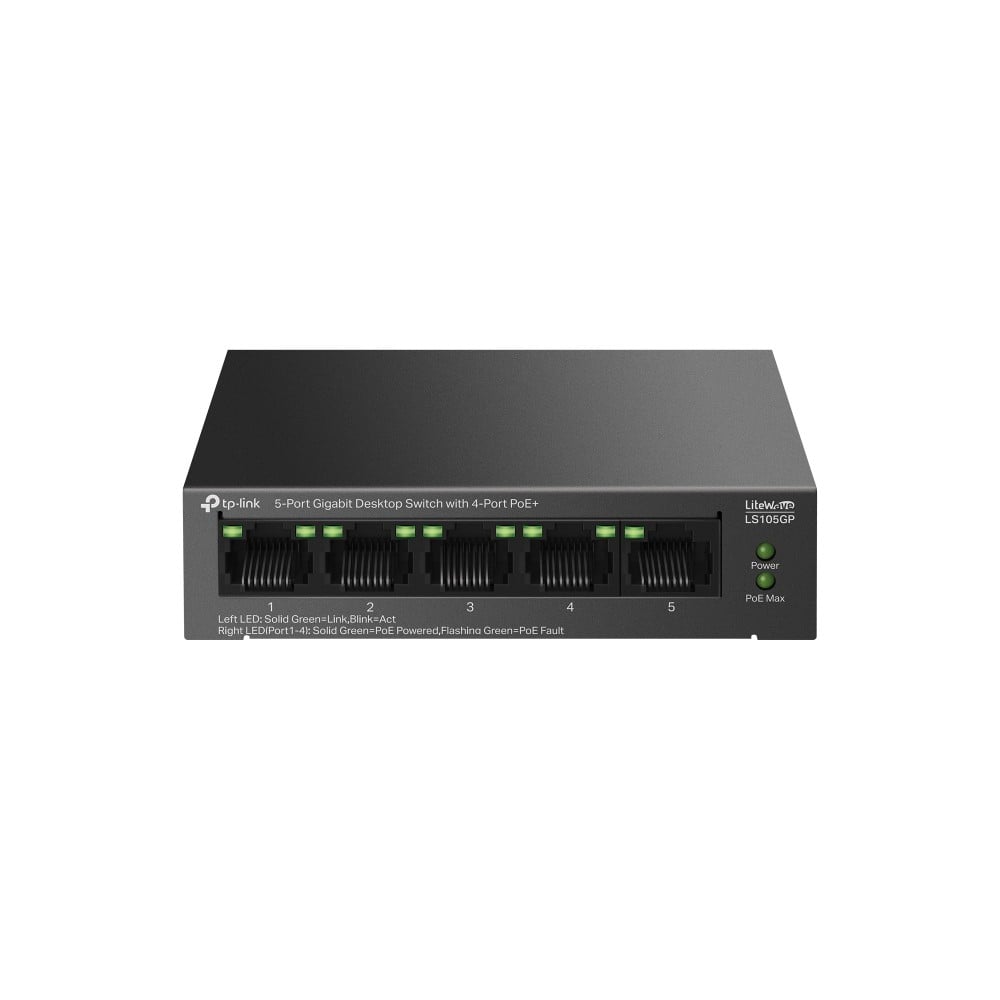
The TP-Link LS105GP - a 5-port Gigabit switch with 4 PoE+ ports, providing up to 65W total power budget for connected devices over standard ethernet cables.
Key Features
- 5 Gigabit Ports - Full gigabit speeds on all ports for fast network transfers
- 4 PoE+ Ports - Power devices up to 30W each over ethernet
- 65W Total Budget - Enough power for multiple PoE devices simultaneously
- 802.3af/at Compliant - Works with standard PoE devices
- Plug & Play - No configuration needed, just connect and go
- Metal Case - Durable build with better heat dissipation
Our Experience
The Good
Eliminates power adapter clutter: Our IP camera, wireless access point, and VoIP phone now run from single ethernet cables. Three power adapters gone, three cleaner cable runs.
Genuinely plug and play: No software, no configuration, no login portals. Plug in devices, they get power and network. It just works.
The metal case is quality: It feels solid and professional, not like cheap plastic networking gear. The build quality inspires confidence for a device that stays on 24/7.
65W is plenty for small setups: Running an access point (~15W), IP camera (~8W), and still having headroom for more devices. The power budget handles typical home office needs easily.
Compact footprint: Small enough to tuck behind a desk or mount on a wall. Doesn't demand dedicated rack space.
Considerations
Unmanaged means no advanced features: No VLANs, no QoS settings, no monitoring dashboard. If you need network segmentation or detailed control, look at managed switches.
5 ports fills up fast: With 4 PoE devices and one uplink, you're at capacity. Plan your network needs - you might want the 8-port version.
No PoE on port 5: The fifth port is data-only, typically used for your router uplink. Just worth knowing when planning connections.
What We Power With It
- Wireless access point for better office coverage
- IP security camera at the entrance
- VoIP phone for business calls
- Raspberry Pi for home automation
Who Should Consider This?
- Home office setups with PoE devices
- Anyone wanting cleaner cable management
- Small businesses with IP cameras or access points
- Developers running home lab equipment
- Anyone tired of multiple power adapters
The Verdict
The TP-Link LS105GP does one thing well: it powers PoE devices reliably without fuss. No software to wrestle with, no configuration to mess up - just clean, single-cable runs to your devices.
For a home office or small workspace with a few PoE devices, it's ideal. The 65W budget handles typical setups comfortably, and the metal construction feels built to last.
It won't satisfy network enthusiasts who want granular control, but for everyone else who just wants their access point and camera to work without adapter clutter, it's a solid, affordable solution. Sometimes the best networking gear is the kind you set up once and forget about.